

The digital landscape is often treated as a playground for commodity services, where entrepreneurs fixate on the lowest monthly sticker price, falling for the allure of “unlimited” shared hosting.
However, for agencies, e-commerce stores, and high-growth businesses, hosting is not a commodity which is the foundation of your revenue.
When your website lags, your bounce rate climbs; when your infrastructure fails, your conversion rates plummet.
The true cost of a hosting service is not just the monthly invoice; it is the hidden technical debt, the lost labor hours, and the opportunity cost of downtime.
This article examines why shifting from restrictive shared environments to a flexible, per-server model is a strategic move for cost-sensitive sectors looking to scale profit, not just traffic.
| Traditional Shared Hosting | Flexible Per-Server Model |
| Commodity Focus Fixates on low monthly sticker prices and misleading “unlimited” claims. | Revenue Foundation Treats infrastructure as a core strategic asset engineered for scalability. |
| Hidden Technical Debt Drives up long-term costs through lost labor hours and unexpected downtime. | Predictable Cost Control Eliminates surprise fees by scaling overall profit margins alongside traffic. |
| Performance Vulnerabilities Slow server speeds trigger rising bounce rates and plummeting conversion rates. | Optimized Infrastructure Delivers high-speed response times that protect user retention and sales. |
The Renewal Trap and the Illusion of “Unlimited” Resources

The “unlimited” promise is the most pervasive deception in the web hosting industry.
Traditional providers often subsidize low-resource sites with the bandwidth of thousands of others, creating an environment where a single sudden traffic spike can trigger resource limits that take your site offline.
The “renewal trap”—where an introductory price of $2.99 jumps to $14.99 is annoyingly a calculated tactic.
By contrast, CloudWays utilizes a transparent, per-server billing model.
You are not paying for a “plan” that throttles your potential; you are paying for the compute power you provision, ensuring no surprises when your business reaches its next growth milestone.
- [x] Expose the Deceptive “Unlimited” Myth: Understand that shared hosts rely on resource-overbooking schemes, taking your site offline the moment a traffic spike triggers hidden limits.
- [x] Avoid the Calculated Renewal Trap: Stop falling for low introductory teaser rates ($2.99/mo) that silently skyrocket to expensive renewal prices ($14.99+/mo) down the road.
- [x] Eliminate Arbitrary Resource Throttling: Move away from shared hosting plans that penalize growth by artificially capping bandwidth, memory, and database processes.
- [x] Switch to Transparent Per-Server Billing: Pay strictly for raw compute power provisioned on dedicated cloud infrastructure with clear, predictable monthly costs.
- [x] Ensure Seamless Business Scalability: Scale server resources on demand to comfortably handle major traffic milestones without fear of surprise billing spikes or performance crashes.
The Financial Impact of Slow Loading Speeds and Downtime
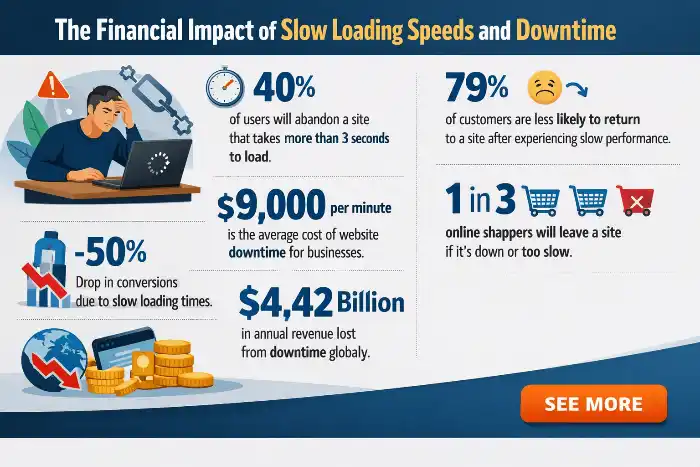
Modern users are notoriously impatient.
Research indicates that a one-second delay in page load time can lead to a 7% drop in conversions.
If your web hosting infrastructure relies on over-provisioned hardware, you are effectively paying to lose customers.
Downtime is the ultimate profit killer.
When your site is unreachable, you are not just losing sales; you are damaging your brand’s reputation and suffering long-term penalties in search rankings.
A reliable Uptime Guarantee is not just a marketing badge—it is a critical business metric for maintaining revenue stability.
- Conversions Drop 7% Per Second: Every 1-second delay in page load time triggers an immediate 7% reduction in conversion rates, shrinking your daily sales volume.
- Rising Bounce Rates Burn Ad Spend: Slow-loading landing pages cause paid traffic to abandon your site before viewing your offer, wasting your advertising dollars.
- Downtime Halts Direct Revenue: Instantaneous site outages freeze all incoming sales, checkouts, and lead captures, inflicting immediate financial losses.
- Search Engines Penalize Slow Sites: Google actively downgrades slow or frequently unreachable pages in search rankings, cutting off organic traffic pipelines.
- Brand Reputation Suffers Long-Term: Frustrated users who experience slow loads or server error pages quickly lose trust and turn to competitors instead.
- Uptime Guarantees Protect Profit Margins: High-availability server infrastructure acts as financial insurance, preserving steady cash flow and customer retention.
Opportunity Costs: The Time Spent on Manual Server Maintenance

For agencies and developers, billable hours are the primary currency.
If your team spends time patching vulnerabilities, managing complex database configurations, or coordinating with support for basic errors, you are hemorrhaging profit.
While an unmanaged VPS might appear cheaper on paper, the “hidden tax” is the massive amount of labor required to maintain it.
Professional server management tools allow you to reclaim these hours, turning your hosting provider into an operational asset rather than an administrative burden.
| Maintenance Approach | Operational Focus | Financial & Labor Impact |
| Unmanaged VPS | Manual security patching, database tweaks, and basic error troubleshooting | High Hidden Tax: Drains billable hours, lowers profit margins, and diverts focus from growth. |
| Managed Cloud Infrastructure | Automated maintenance, simplified deployment, and server orchestration | High Operational ROI: Reclaims agency labor, optimizes team efficiency, and scales recurring revenue. |
Bridging the Gap Between Unmanaged VPS and Shared Hosting

Cloudways effectively functions as the managed middle ground between the chaos of unmanaged VPS hosting and the limitations of shared hosting.
It removes the technical friction of managing raw cloud compute while offering the power and isolation of a virtual private server.
By providing a sophisticated control panel that abstracts the complexity of server administration, Cloudways allows users to deploy high-performance environments without needing a degree in system architecture.
- Bridge the Infrastructure Gap: Combines the low-cost power of raw cloud compute with the ease of use typical of shared hosting setups.
- Eliminate Server Management Friction: Abstracts raw Linux terminal configuration, server setup, and system patching behind an intuitive dashboard interface.
- Deliver Dedicated Resource Isolation: Provides true virtual private server performance and isolated resources without the risk of noisy-neighbor slowdowns.
- Remove Technical Expertise Barriers: Allows agency teams and site owners to deploy enterprise-grade infrastructure without needing dedicated system administrators.
- Streamline Operations & Scaling: Accelerates client onboarding, staging deployments, and vertical server scaling through simple control panel clicks.
Choosing Your Infrastructure: DigitalOcean, AWS, and Google Cloud

The strength of the platform lies in its flexibility.
By providing access to top-tier cloud infrastructure like DigitalOcean, Amazon Web Services (AWS), and Google Cloud, Cloudways ensures you are never locked into a proprietary ecosystem.
Whether you require the budget-friendly performance of a DigitalOcean droplet or the global, elastic capabilities of a massive cloud provider, the platform standardizes the management process.
This means you can select the perfect compute instance for your specific needs without sacrificing ease of use.
| Cloud Provider | Core Infrastructure Strength | Best Fit for Agency Workloads |
| DigitalOcean | Budget-friendly performance via scalable virtual droplets | Cost-effective standard web hosting and general client site portfolios. |
| Amazon Web Services (AWS) | Massive global reach and highly elastic computing capabilities | Enterprise-grade applications requiring heavy resource distribution. |
| Google Cloud Platform (GCP) | Enterprise-level network performance and multi-region redundancy | Mission-critical operations demanding high availability and global uptime. |
| Cloudways (Management Layer) | Standardized orchestration preventing proprietary ecosystem lock-in | Unified control panel management across any underlying cloud provider without system admin overhead. |
The Role of Managed WordPress Hosting in Business Stability
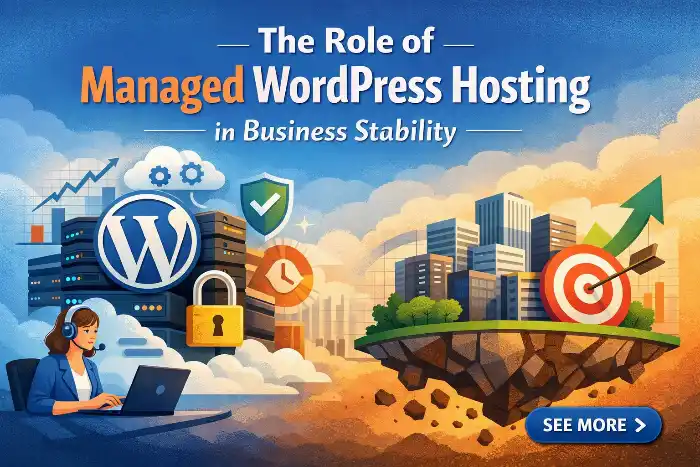
Managed WordPress hosting is essentially an insurance policy for your revenue.
By automating critical tasks like regular site backups, plugin updates, and performance monitoring, the platform ensures your business remains resilient even during off-hours.
This level of stability is mandatory for businesses that rely on their site as a 24/7 storefront, allowing for growth without the constant fear of platform collapse.
| Feature / Metric | Standard Web Hosting | Managed WordPress Hosting |
| Business Continuity | High risk; manual backups mean potential data loss during outages. | Automated Resilience: Daily/hourly offsite backups ensure instant disaster recovery. |
| System Maintenance | Vulnerable; plugin updates and security patches require manual intervention. | Proactive Automation: Automated updates and performance monitoring keep sites patched 24/7. |
| Revenue Protection | Unpredictable downtime directly destroys checkouts and lead collection. | Revenue Insurance: High-availability server uptime protects your 24/7 digital storefront. |
| Operational Stress | Constant fear of platform crashes, resource exhaustion, and off-hours errors. | Scale with Confidence: Stable, isolated architecture allows rapid business growth without collapse. |
Consolidating Multiple Applications on a Single Compute Instance
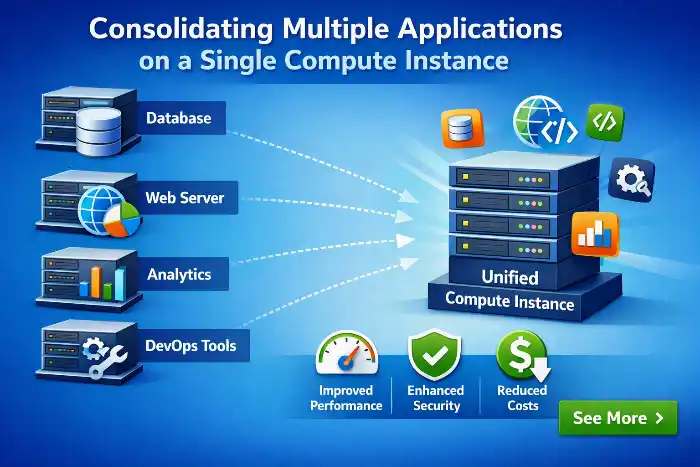
The traditional “per-site” billing model used by many providers is fundamentally inefficient for agencies.
If you manage 20 sites, most managed hosts charge you for 20 separate plans. Cloudways flips this script.
Because you pay per server, you can consolidate dozens of WordPress applications onto a single, high-performance compute instance.
Once the base cost of the server is met, adding another site costs virtually nothing in infrastructure fees, significantly expanding your profit margins.
- Shift from Per-Site to Per-Server Billing: Replace expensive individual hosting plans with a single compute instance to instantly eliminate artificial site caps.
- Consolidate Multiple WordPress Sites: Host dozens of client applications on one high-performance server to maximize your overall compute capacity.
- Cover Infrastructure Costs Instantly: Offset your base server expense with your first 2–3 client sites, making all subsequent additions pure profit.
- Reduce Marginal Infrastructure Fees: Add new client applications to your existing instance for virtually $0 in additional server costs.
- Dramatically Expand Profit Margins: Retain maximum recurring revenue from client hosting retainers while keeping your underlying infrastructure overhead fixed.
Lowering the “Cost-per-Project” for Agencies and Freelancers
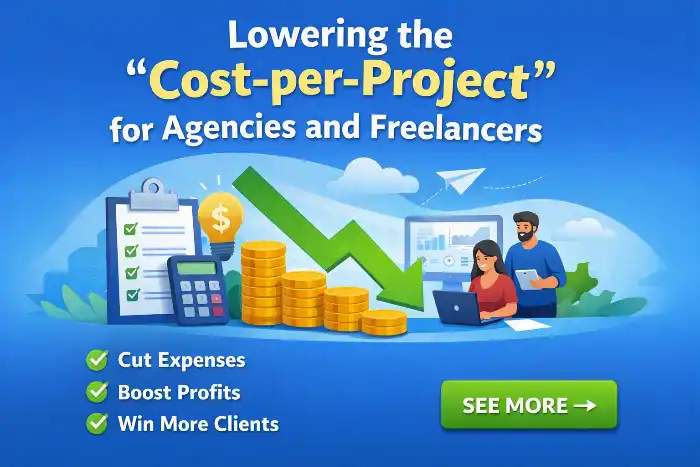
When you aggregate ten sites on a single server, your infrastructure cost per site drops to a fraction of traditional enterprise hosting.
This efficiency allows agencies to provide high-end performance to clients while keeping internal costs lean.
These savings can either be passed on to clients to increase competitiveness or retained as pure profit, proving that hosting architecture is a vital component of financial planning.
- Slash Infrastructure Overhead: Hosting 10+ client sites on a single server reduces your per-project infrastructure cost down to a tiny fraction of standard enterprise hosting.
- Maintain Enterprise-Grade Performance: Deliver high-end cloud speed and dedicated site stability without incurring high per-site hosting fees.
- Expand Agency Profit Margins: Retain the dramatic cost savings to directly widen your monthly recurring revenue (MRR) margins across all client retainers.
- Gain Competitive Pricing Leverage: Pass a portion of the infrastructure savings to clients to offer premium managed hosting at highly competitive market rates.
- Turn Infrastructure into a Strategic Asset: Treat hosting architecture as a core pillar of your agency’s financial planning to scale profitability alongside client growth.
Predictable Costs vs. Unexpected Bandwidth Overage Fees
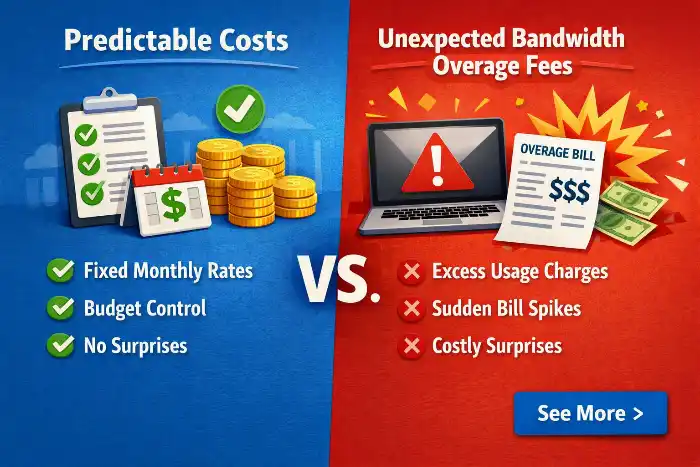
Traditional shared hosting often hides punitive fees in the fine print. CloudWays, however, provides a clear, predictable cost structure.
Because you are utilizing your own cloud-hosted infrastructure, you know exactly what your bill will be at the end of the month.
There are no hidden overage fees for minor traffic spikes, providing the fiscal clarity needed for long-term business budgeting.
| Category | Traditional Shared Hosting | Managed Cloudways Architecture |
| Pricing Model | Pros: Low teaser entry rates ($2–$5/mo). Cons: Heavy renewal price traps ($15–$25/mo per site); hidden overage fees. | Pros: Transparent per-server billing; zero per-site fees; predictable scaling costs. Cons: Higher starting base price ($14+/mo) for single-site setups. |
| Performance | Pros: Zero setup required for basic traffic. Cons: Slow TTFB; high latency; resource starvation from “noisy neighbors.” | Pros: Dedicated CPU/RAM; NVMe storage; rapid load times and low TTFB. Cons: Performance depends on proper server sizing and configuration. |
| Security & Isolation | Pros: Basic automated malware scanning included. Cons: Cross-site contamination risk; shared IP reputation issues. | Pros: Full account isolation; fleet-wide WAF/DDoS via Cloudflare integration. Cons: Requires site-level security hygiene and access key management. |
| Server Control | Pros: Simple cPanel/Plesk dashboard for basic tasks. Cons: Restrictive settings; no custom Nginx rules, SSH root, or SQL tweaking. | Pros: Advanced control over PHP-FPM, OpenLiteSpeed, Redis, and API automation. Cons: Learning curve for non-technical users migrating from cPanel. |
| Agency Scalability | Pros: Fine for 1–2 low-traffic hobby sites. Cons: Margins collapse rapidly when scaling to 10+ client sites. | Pros: Massive profit margins; aggregate 30+ sites on one instance to hit $100k MRR. Cons: Requires an operational strategy for resource allocation across sites. |
Leveraging NVMe SSD Storage for Faster Database Queries

Performance is often bottlenecked by storage speed.
CloudWays offers NVMe SSD storage as a standard, which drastically improves read/write speeds compared to traditional SATA or standard SSD storage.
For database-heavy applications like WooCommerce, this means faster checkout processes and quicker page renders.
When your database queries are processed instantly, your application feels significantly more responsive, directly impacting user satisfaction.
The Speed Stack: Redis, Memcached, and OPCache Integration
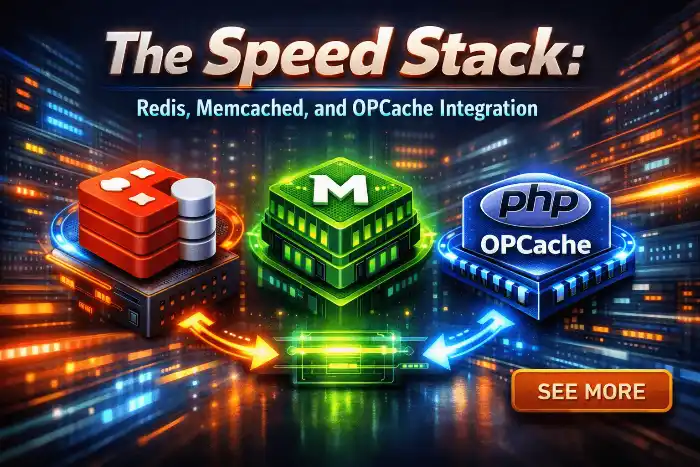
A truly fast site is built on an intelligent caching stack.
CloudWays simplifies the implementation of Redis, Memcached, and OPCache. By storing frequently accessed data in server memory, these tools drastically reduce the load on your database.
This integration allows your site to handle a significantly higher volume of concurrent users, effectively preventing performance bottlenecks during peak traffic times.
- Intelligent Caching Foundation: A truly fast site relies on an optimized, intelligent caching stack.
- Simplified Integration: CloudWays streamlines the setup and implementation of key caching tools, including Redis, Memcached, and OPCache.
- Database Offloading: By storing frequently accessed data directly in server memory, these tools drastically reduce database load.
- Higher Concurrency: Improved memory caching enables your site to handle a significantly higher volume of concurrent users.
- Peak Traffic Stability: Effectively prevents performance bottlenecks during traffic spikes.
Improving Conversion Rates via Cloudflare CDN and Global Data Centers
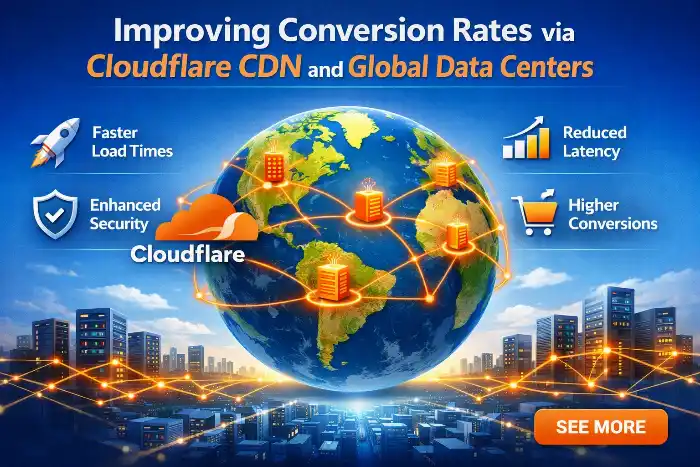
Geography plays a vital role in user experience.
Latency increases exponentially the further a user is physically located from your origin server, directly impacting response times and rendering performance.
CloudWays solves this problem by allowing you to deploy servers across hundreds of global data center locations close to your primary target market, while its native Cloudflare CDN integration automatically caches and serves static content from edge nodes closest to the end user.
This dual-layer architecture minimizes physical distance barriers, eliminates routing bottlenecks, and drastically reduces Time to First Byte (TTFB).
Ultimately, combining localized origin servers with edge network distribution ensures global reach, minimal latency, and sub-second load times which has been proven to maximize user retention and boost conversion rates.
| Performance Layer | Optimization Mechanism | Operational Benefit |
| Origin Server Location | Deploy database and application logic in data centers nearest to target audiences | Eliminates physical transit delay for dynamic PHP processing and database queries. |
| Edge CDN Integration | Cache static assets across global Cloudflare edge network nodes | Delivers images, CSS, and JS instantaneously from the nearest geographical server. |
| Latency Reduction | Minimize packet hop distance and round-trip time (RTT) | Lowers TTFB globally, keeping page rendering speeds fast regardless of visitor location. |
Risk Mitigation with Automated Server Backups and 1-Click SSL Certificates

Data loss is a business-ending event.
With automated, off-site backups and 1-click SSL certificate installation, the platform provides essential security scaffolding.
You no longer need to worry about the complexities of manual database exports or renewing an SSL certificate.
This automation is not just a convenience, but is a critical risk mitigation strategy for every digital professional.
A. Business Continuity Protection: Mitigates the threat of catastrophic data loss, which can be a business-ending event.
B. Integrated Security Scaffolding: Provides key security measures through automated, off-site backups and simple 1-click SSL certificate installation.
C. Simplified Maintenance: Eliminates the operational complexity and headache of performing manual database exports and renewing SSL certificates.
D. Strategic Risk Reduction: Automation serves as an essential risk mitigation strategy for digital professionals, far beyond a simple convenience.
Streamlining Workflow with Staging Environments and Migration Tooling
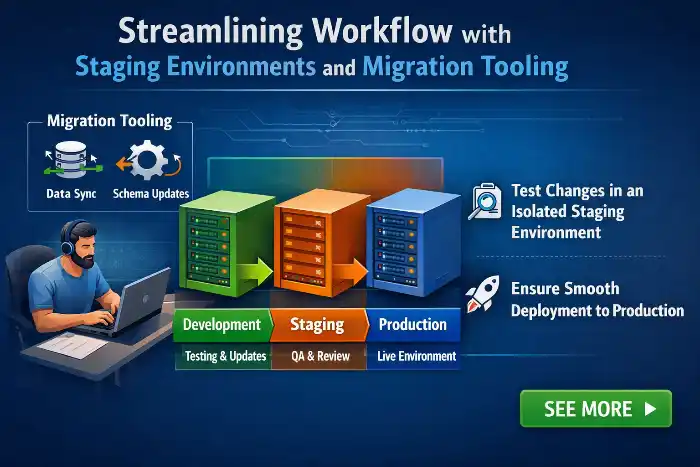
Staging environments are one of the most essential tools for modern developers, enabling safe iteration without disrupting users.
They help teams validate features, performance, and UX before anything reaches production.
CloudWays lets you clone your live site to a staging area with a single click, then test updates, plugins, or design changes in isolation.
You can push changes back selectively as files, database, or both and roll back instantly if needed.
Automated backups and built-in SSL add another layer of safety.
Combined with advanced migration tooling, moving from a sub-par host to a professional environment is seamless and low risk.
The guided migrator handles URLs, rewrites, and database serialization cleanly, minimizing downtime.
For teams that value agility and reliability, CloudWays hosting best solution for staging, testing, and smooth go‑lives.👏🏽✅
Security as a Profit Guard: Firewalls and WordPress Vulnerability Scanners

Security is a primary driver of ROI because prevention is far cheaper than recovery.
With advanced firewalls, IP blocking, and automated WordPress vulnerability scanning, the platform hardens your application at the server level.
It stops threats before they touch your site, cutting off malware, botnets, and brute-force attempts in real time.
That means fewer incidents, less downtime, and no emergency developer bills.
You also reduce exposure to legal liability from data leaks and compliance violations.
Avoiding a breach protects brand trust, preserves SEO rankings, and prevents costly customer churn.
Add features like proactive patching, WAF rules, account isolation, and instant rollbacks from offsite backups, and your risk profile drops even further.
For teams that value dependable protection and measurable savings, CloudWays hosting best solution for secure, scalable growth.
24/7 Human Support: Reducing the Need for In-House DevOps

Even the most reliable platforms benefit from expert oversight. With 24/7 human support, you gain immediate access to engineers who act as an extension of your team.
They handle server maintenance, security patches, performance tuning, backups, scaling, and incident response. Proactive monitoring and fast remediation minimize downtime and protect revenue.
This reduces reliance on costly in-house DevOps hires and on-call rotations. Your team can focus on product strategy, shipping features, and customer experience.
Transparent SLAs, root-cause analysis, and guidance on architecture and cost optimization deliver ongoing value. For many growing businesses, CloudWays hosting best solution to combine managed expertise with flexibility.
Vertical scaling lets you boost server CPU, RAM, and storage in real time

Cloud hosting is elastic, so resources can grow without moving your site or changing providers.
When a marketing push or flash sale hits, you can add compute and memory in a few clicks, often with near-zero downtime.
You are not stuck on a fixed plan; you pay only for the extra capacity while you need it.
This keeps your site fast and online during traffic peaks, protecting sales and user experience.
Use monitoring and alerts to scale up during load and scale back down to save costs.
For a managed option, CloudWays hosting best solution, with quick vertical scaling, automated backups, and pay-as-you-go billing.
Load testing helps you avoid launch‑day failures

Before a big release or holiday sale, simulate real traffic spikes. Track response times, error rates, throughput, and queue depth. Try tools like k6, JMeter, Locust, or Loader.io.
Run ramp, stress, and soak tests. Model peak users, think time, and API mix. Test against a staging clone of production.
Cloudways offers a transparent, stable stack, so results are accurate. Identical server images and consistent caching mean fewer test surprises.
Use the data to right‑size CPU, RAM, storage IOPS, and bandwidth. Tune caches, database indexes, and CDN rules. Set alerts and a scale‑up plan.
This lets you provision exactly what you need and nothing more. No panic upgrades to bloated “enterprise” tiers. For predictable performance and cost control, cloudways hosting best solution.
Peak seasons can make or break a WooCommerce store. Your site must stay fast, stable, and ready for traffic spikes

Start by tuning the server: latest PHP, optimized PHP-FPM, and MariaDB settings. Enable Redis object caching, Varnish full-page caching, and a CDN to cut load times.
Add vertical scaling and load balancing to handle surges without downtime. Track performance with real-time monitoring and alerts so you can react early.
Before the rush, run load tests, use a staging site, and schedule backups and security updates. With Cloudways, WooCommerce runs on an advanced stack (Nginx, Apache, Varnish, Redis) built for heavy loads.
This keeps your store fast and responsive during your most profitable moments — CloudWays hosting best solution.
| Focus Area | Key Actions & Strategies | Primary Benefit |
| Server Optimization | Upgrade to the latest PHP version, tune PHP-FPM, and optimize MariaDB settings | Improves backend execution speed and base processing efficiency |
| Advanced Caching & CDN | Enable Redis object caching, Varnish full-page caching, and a CDN | Reduces database load and drastically speeds up content delivery |
| Infrastructure & Scaling | Implement vertical scaling and load balancing | Prevents downtime and ensures capacity during sudden traffic surges |
| Monitoring & Alerts | Set up real-time performance tracking and automated alert systems | Enables early detection and fast mitigation of potential bottlenecks |
| Pre-Peak Preparation | Conduct load testing, test changes on staging, and schedule backups/security updates | Ensures stability, security, and preparedness before peak traffic hits |
| Cloudways Stack Integration | Utilize Cloudways’ WooCommerce-optimized stack (Nginx, Apache, Varnish, Redis) | Delivers a high-performance environment built specifically for heavy e-commerce loads |
CloudWays vs. Traditional Managed WordPress Hosting (WP Engine, SiteGround)
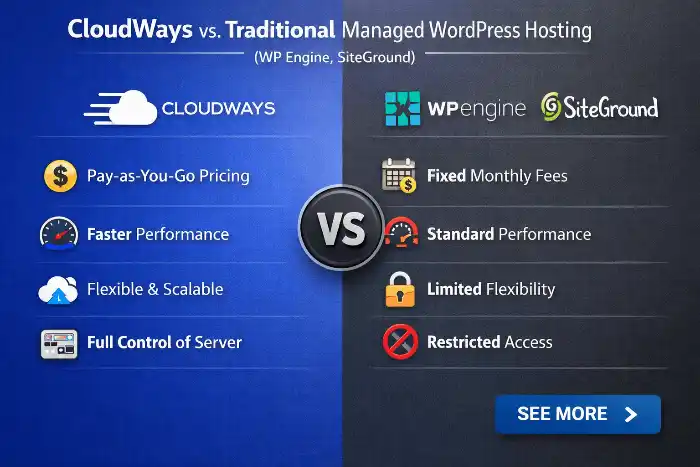
Managed hosts like WP Engine and SiteGround are solid, but their per-site pricing adds up fast as you grow.
With CloudWays, you pay for the server, not each site. This makes scaling predictable and cheaper, especially for agencies.
Hosting 10 client sites on one optimized CloudWays server often costs a fraction of 10 separate managed plans, while matching or beating performance.
You also get flexible server sizes, pay‑as‑you‑go billing, easy vertical scaling, staging, backups, and built‑in caching.
CloudWays lets you choose top cloud providers (DigitalOcean, AWS, Google Cloud) and tune resources per project.
For many agencies and freelancers, this makes cloudways hosting best solution for cost control, speed, and growth.
| Feature / Metric | CloudWays | Traditional Managed Hosts (WP Engine, SiteGround) |
| Pricing Model | Server-based, pay-as-you-go billing | Per-site pricing or strict plan tiers |
| Multi-Site Cost Efficiency | Host unlimited sites on a single server without per-site fees | Costs increase rapidly per site or require higher tier upgrades |
| Infrastructure Choice | Choose from top providers (DigitalOcean, AWS, Google Cloud) | Proprietary or locked to a single underlying cloud provider |
| Resource Scaling | Easy, 1-click vertical scaling tuned per project | Upgrades tied to fixed plan upgrades or visitor caps |
| Included Features | Built-in caching (Varnish, Redis), automated backups, and staging included | Built-in caching, backups, and staging (often locked to higher plans) |
| Target Audience Fit | Ideal for agencies and freelancers seeking cost control and scalability | Ideal for single-site owners who prefer standard fixed plans |
The “DIY” VPS Trap: Comparing CloudWays to Unmanaged Vultr or Linode

While an unmanaged Vultr or Linode instance may be cheaper, the “hidden cost” is the significant amount of manual labor required to configure and secure the server.
Between configuring Nginx, setting up root access, and managing firewalls, you could spend hours of expert time every month.
For most businesses, the cost of this time far exceeds the small premium charged for the managed interface that handles these tasks for you.
| Feature / Task | Unmanaged VPS (Vultr / Linode DIY) | Managed Cloudways Architecture |
| Initial Setup Time | High Burden: Hours spent manually compiling Nginx, installing PHP, and configuring MySQL. | Instant Deployment: Launch a fully optimized WordPress stack in under 7 minutes. |
| Server Security & Patches | Manual & Risky: Requires ongoing root OS updates, manual firewall rules, and vulnerability patches. | Automated & Managed: OS-level security patches, 1-click WAF, and automated bot protection included. |
| Site Staging & Cloning | Complex Execution: Requires manual database exports, file syncs, and virtual host tweaks via CLI. | 1-Click Automation: Instant site cloning and sandbox staging with push-to-live functionality. |
| Backup Management | Custom Scripting: Requires building and monitoring custom cron jobs and offsite S3 backup scripts. | Built-in Resilience: Automated hourly or daily offsite backups with 1-click single-site restoration. |
| Labor Cost & Overhead | High Hidden Tax: Consumes expensive developer billable hours for routine system administration. | Maximum Agency ROI: Reclaims 100% of sysadmin time, shifting team focus directly to revenue growth. |
Quantifying the ROI of Operational Simplicity
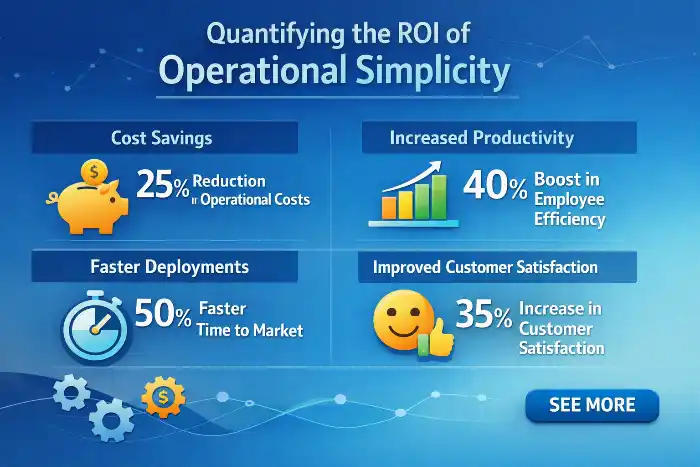
The real ROI is found time — hours you get back every week.
Automate backups, deployments, scaling, and security monitoring, and you cut routine work to minutes instead of hours. This reduces errors, context switching, and late-night firefights.
With that time, you can focus on sales, client onboarding, site design, and marketing campaigns that drive revenue. Faster launches mean happier clients and more referrals.
Operational simplicity also lowers costs. You need fewer plugins, fewer manual checks, and fewer specialists on call.
When you treat hosting as an efficiency engine, not a line item, your business velocity rises and margins expand. For many agencies and freelancers, cloudways hosting best solution to achieve this balance of speed, control, and cost.
Conclusion
The decision to move away from restrictive, legacy hosting models is a turning point for any serious digital business.

By shifting to the CloudWays per-server billing model, you stop paying for unnecessary surcharges and start investing in raw, scalable infrastructure that grows alongside your traffic.
The strategy is straightforward: consolidate your sites on a high-performance, NVMe-powered compute instance, leverage the native caching stack to maximize conversion rates, and utilize platform automation to reclaim your time.
Whether you are an agency managing dozens of client projects or an e-commerce store owner preparing for a surge in sales, the path to long-term profitability lies in controlling your infrastructure costs rather than being controlled by them.
Transitioning to a managed, professional environment isn’t just an expense it’s a strategic investment in the stability, security, and growth potential of your entire business.
